112 posts with category “Tech”

MP3Toys

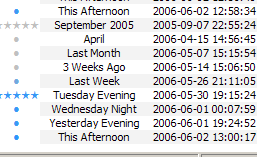
This will come as a shock to anybody who knows me, but I’ve all but stopped using foobar2000. A couple months ago on the indietorrents forums, somebody mentioned MP3Toys, and I’ve been using it almost exclusively since.

MP3ToysAs I mentioned in a previous post, all the chores I was made to do in foobar seemed to keep me from listening to music: I was working for my software, and not vice-versa. My collection of music felt cold and dead and fragile in the hands of foobar, and none of the features I had idealized in my mind were anywhere near fruition (true hotness, similarity-by-mood filters, etc.). I desperately wanted something to get me back in touch with my music, something that delivered music to me in a way that felt as natural as buying a CD and putting it in my stereo. I even considered switching to iTunes.

MP3Toys isn’t for every foobar user; I just got lucky enough that it emulates my ideal behavior in foobar. It’s a living, breathing program, and using it is a humanistic experience. It understands not just that you listen to music, but why you listen to music. Some of its intelligent features include:
Continue reading

4 Responses

last.fm Weekly Album Chart Feeds

For a long time, last.fm has linked to a purported weekly album chart feed on their web services page. Because I find this much more interesting than the weekly artist and track charts, I was happy to find today that these feeds have finally become active. Just replace “topdownjimmy” with your username in this url:

http://ws.audioscrobbler.com/1.0/user/topdownjimmy/weeklyalbumchart.xml

Unfortunately, this won’t reflect your listening accurately if you’re in the habit of listening to leaked albums. For what are certainly legal issues, last.fm plays dumb that these albums even exist, failing to report them in charts even though the track and artist counts are updated accordingly.

My next step is to use the url embedded in the feed to scrape the Amazonian cover art from each album’s last.fm page. This would be cool to do even for the recent track feed, come to think of it.

One Response

MST3K Torrents: Specimen Jackpot!

A couple years ago I toyed with eDonkey and the Digital Archive Project as a means to collecting MST3K episodes. Turns out eDonkey is widely and rightly regarded to be a terrible piece of software, and the episodes weren’t well-seeded, so that went nowhere, and I opted to rip a low-quality ShoutCast channel for a couple dozen episodes.

Today, reminded of DAP by this comment at Lifehacker, and aided by a search on Demonoid.com, I was led to this page at The Pirate Bay, with links to torrents for every known available episode, all high-quality and all fairly well-seeded.

Leave a Comment

Firefox “Phrase Not Found” Noise

Praise Jesus.

One of the handiest features in Firefox, and one that I use frequently and absent-mindedly, is the “find as you type” shortcut. Press forward slash, and Firefox will jump to the next text that matches what you type; press single-quote, and Firefox will jump to the next link text that matches what you type. So fast and invaluable.

Unfortunately, if the string you type turns up no results, Firefox alerts you with what sounds like “a hoarse dog barking.” Not just once, but for every subsequent character that confirms your search failure: a curse for fast typists.

This annoyance was not even solved by FlashMute [via], a tiny and amazing program that mutes all sounds originating from your browser, or just those from embedded flash objects.

After not trying very hard to find a solution via Google, I thought “what the hell” and went to about:config. Searched for “sound,” and voilà. “accessibility.typeaheadfind.enablesound”. Double-click once, restart Firefox, and no longer will you be plagued by the hoarse dog.

Leave a Comment

Rojo & Feeds 2.0

RSS feeds appeal to me not just as a useful medium for reading serialized content, but also as representative of a kind of “dumb” handling of data, the separation of content from presentation, modularity, all that stuff, which I just appreciate aesthetically. And as I found an increasing number of the sites I visit providing feeds, I wanted to take advantage of this to corral all my reading into an easy, one-stop repository.

But, when aggregating any significant number of feeds, the more frequently updated ones inevitably bury the others, the latter of whose content is probably more important because of its infrequency (see: kbps). So I was overjoyed when I noticed that Rojo accounts for this in several intelligent ways. First, it shuffles the most recent posts of all your feeds together toward the top of your “wire” (a fake term I’m using), allowing infrequent content to muscle its way to the surface and avoid being lost. Second, it keeps track of how users interact with all the articles it serves, whether they clicked on a link in it, or marked it as interesting, or bookmarked it, and pushes those articles closer to the top of your “stream” (a fake term I’m using).

Pretty cool, and I now can’t imagine the internet without Rojo.

On the horizon is a new service, Feeds 2.0, which promises to take this same idea further. Feeds 2.0 pays attention to the content of articles you tend to click on, taking into account both which feed they’re from and key words they contain, to deliver content that is more relevant to you specifically to the top of your “wire/stream” thing. Not only that, but it groups together articles that it determines to be about the same thing, so that those memes clogging up Boing Boing, Waxy, Digg, &c. can be easily compared and ignored.

Unfortunately, Feeds2 is only in private beta at this time, so if you’re interested I recommend signing up for an invitation. I signed up what feels like forever ago but was probably closer to six weeks, and I still haven’t heard anything. Suffice it to say I am trembling with anticipation.

Leave a Comment

Slightly Streamlined mp3 Tagging Flowchart

I used to require four programs for getting all my tags exactly how I want them: The GodFather (with AllMusicGuide patch), the MusicBrainz Tagger, Mp3tag, and foobar2000. The GodFather was always the first and worst part of my tagging procedures, being slow, refusing to write APE tags, and relying on the Internet Explorer engine.

Now I’ve eliminated both The GodFather and MusicBrainz from the whole grueling process, boiling it down to just Mp3tag and foobar2000, thanks to an AMG-scraping script and a MusicBrainz-scraping script for Mp3tag. The only drawback is that the AMG script doesn’t retrieve album descriptions (which I truthfully won’t miss a bit), and that the scripts use different tag field names (MOOD instead of TONES) to store some of the more frivolous metadata.

However there is some promise in the relative simplicity of Mp3tag’s scripting language, which, with enough knowledge of regular expressions, seems to be capable of parsing anything out of an http request.

Leave a Comment

last.fm friends ticker

infoRSS

last.fm is great, and it gets better every single day. Part of its appeal is voyeurism. I love being able to see what my friends are listening to, but that usually requires going to the “What are my friends listening to?” page, which is still too much effort; I’m not that curious. But still, if somebody I know starts listening to something, I’d like to be alerted with a totally passive system.

There are, of course, RSS feeds for all kinds of things from last.fm. But there is no feed consisting of all your friends’ recent tracks, which is surprising because it’s such an intuitive idea. So implementing the ones that are available is ostensibly possible, but nevertheless tricky. I mean, logging into Bloglines or Google’s new reader still requires an active request for this information. And while there are some web services that will merge multiple feeds into a single one for you, I don’t like relying on a third party like that, one that may go down any day and that might insert advertisements into my feed.

It seems to me that there should be a very, very small program that sits in your system tray, checking multiple feeds regularly, then popping up a native Windows balloon with a link to the “article” every time there’s an update. This would be ideal for watching your last.fm friends. There are programs that do this, but they’re all full applications that only have this as an auxiliary feature. I can’t afford the memory.

So, finally, I found infoRSS. It’s a Firefox extension that adds a little ticker to the statusbar. Initially I wasn’t hopeful, as its default presentation is ugly and therefore indicative of poor programming:

infoRSS

The writer of this extension isn’t a native speaker of English, and there’s very little help available anyway. I spent a long time studying its many confusing features, confident that it could be made to do what I want. The result (shown at the top of this post) isn’t perfect, but is better than I had expected or hoped. There’s a nice little Audioscrobbler logo on the left; each entry is marked with the user’s avatar, which is far more efficient than if their name were displayed; and the listening status of everyone is constantly on display for me. Here’s how to do this:

Continue reading

Leave a Comment